Download Markdown Reader
Current desktop release: v3.5.1 (release notes).
macOS
macOS 11 or later. Choose the build for your Mac.
Apple Silicon (.dmg) Intel (.dmg)Windows
Windows 10 or later. Choose the installer for your processor.
Windows x64 installer Windows ARM64 installerLinux
Portable AppImage, or a Debian/Ubuntu package.
x86_64 AppImage amd64 .deb ARM64 AppImage ARM64 .debThe macOS and Windows builds are not signed by an OS vendor, so the system asks you to confirm the first launch, once. Markdown Reader then updates itself from GitHub Releases.
First launch on macOS
Right-click → Open no longer bypasses this on current macOS — use System Settings instead:
-
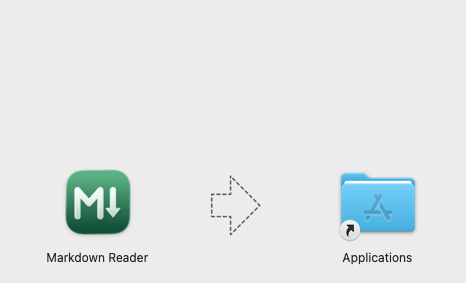
Drag Markdown Reader into Applications, then open it.
-
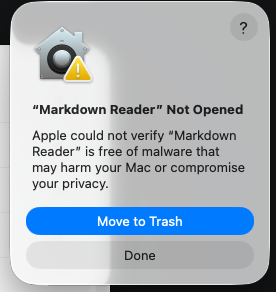
macOS blocks the first launch. Click Done (not "Move to Trash").
-
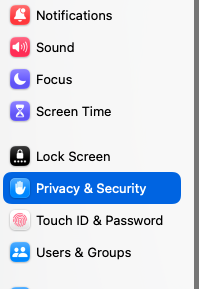
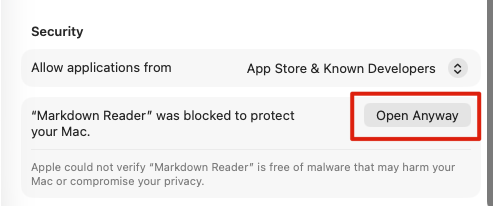
Open System Settings → Privacy & Security.
-
Scroll to Security and click Open Anyway, then confirm with Touch ID or your password. This is only needed once.
First launch on Windows
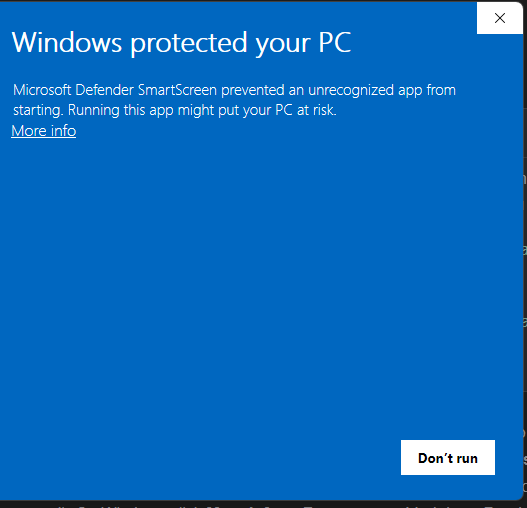
Windows SmartScreen shows a similar warning for the same reason — no paid code-signing certificate. Click through it once:
-
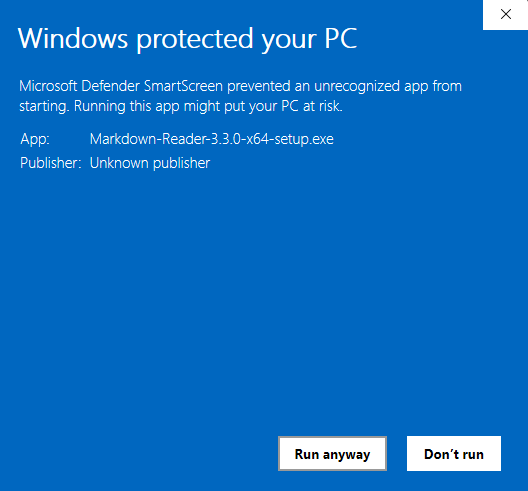
Run the installer. SmartScreen blocks it with only a More info link and Don't run — click More info.
-
The dialog expands to show the app name and publisher, with a Run anyway button — click it.