
Markdown viewer & editor for Windows, macOS, Linux and the web
Open, read and edit .md and README files with live preview, GitHub-flavored
Markdown, Mermaid diagrams, KaTeX math, folders and backlinks. Fast, private and
offline-first — no account required.
Free to use. Available for Windows, macOS, Linux and the web.
Everything a Markdown workspace needs
Nothing it doesn't.
Reading view
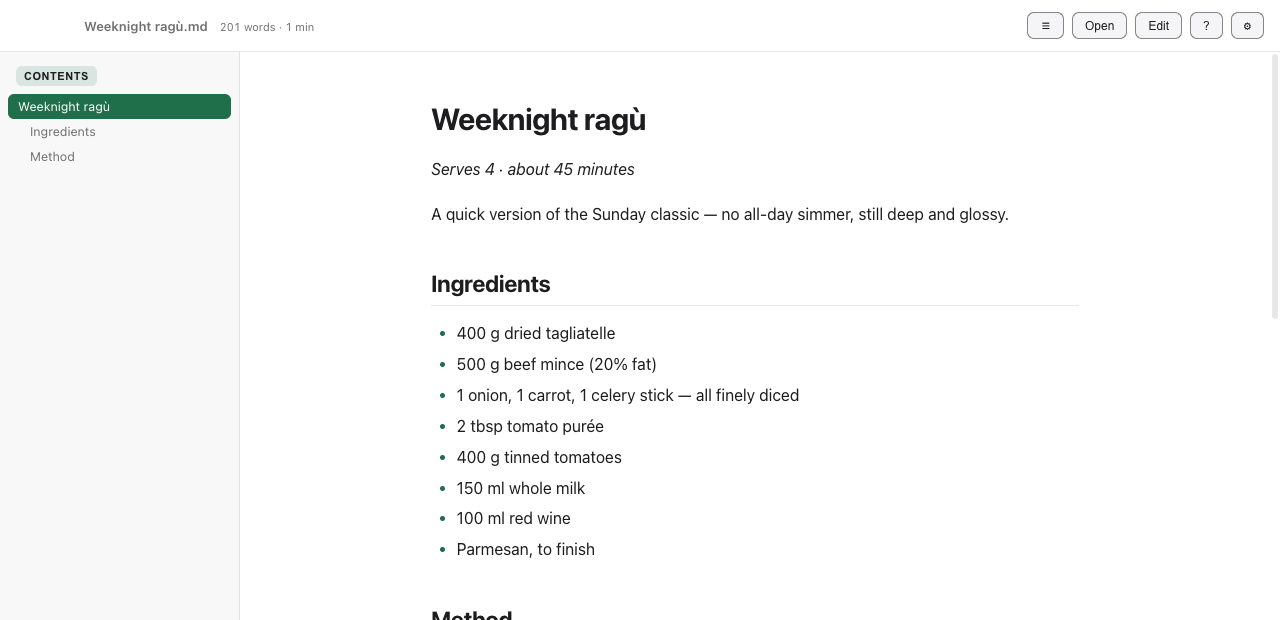
GitHub-flavored Markdown, syntax-highlighted code, a contents sidebar that tracks scroll, callouts, footnotes, task lists and a YAML frontmatter card.
Real editing
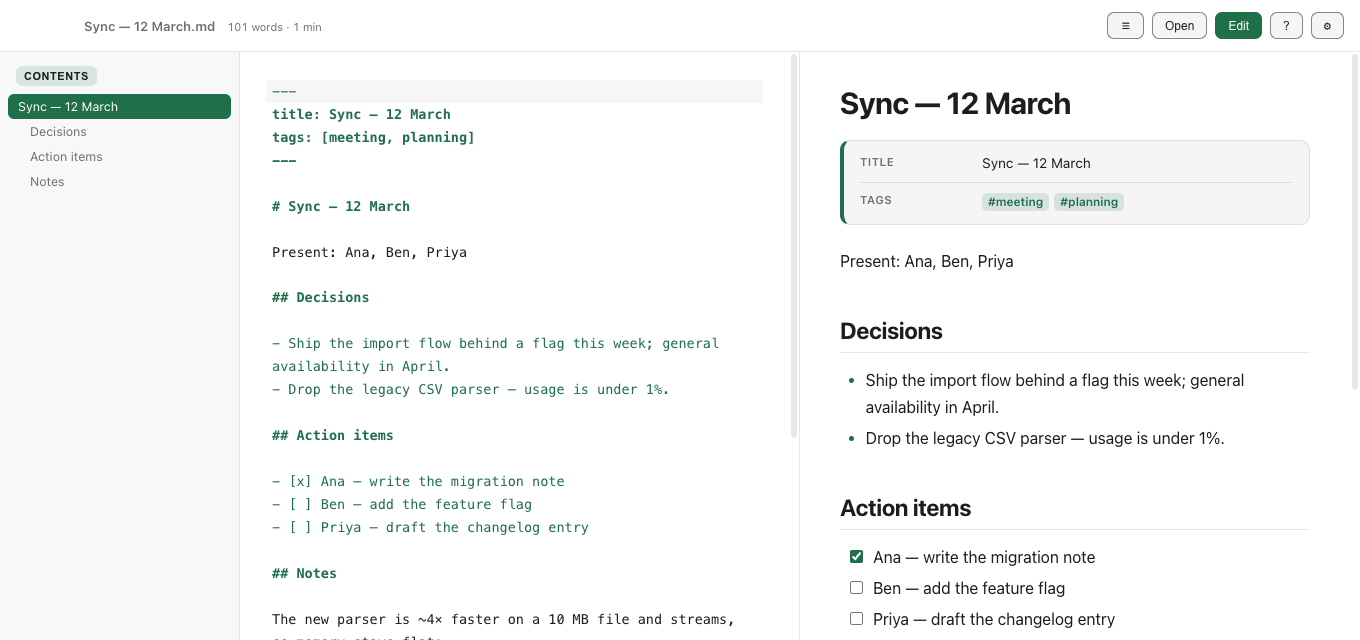
A CodeMirror 6 editor with a live, scroll-synced preview, formatting shortcuts, a visual table editor, optional Vim keybindings and Prettier formatting.
Notes & folders
Open a folder as a workspace: file tree, quick-open, full-text search,
[[wikilinks]], backlinks and #tags.
Diagrams & math
Mermaid diagrams (export to SVG/PNG) and KaTeX math render inline, with the fonts served from the app itself.
Export anywhere
Save to PDF or Word (.docx), export self-contained HTML, copy as rich
text, or print — with page size and header/footer options.
Remote files
The desktop app opens and saves over SFTP, FTP/FTPS and WebDAV. Saved passwords are encrypted on your device using your system credential store and sent to your chosen server when needed to authenticate.
Automation & MCP
An opt-in local API lets scripts and AI assistants read, write and search the notes and folders you choose to share (read-only by default). The open-source MCP bridge connects the desktop app to compatible AI assistants. Learn about setup and permissions.
Yours to theme
Light, dark or system, a custom primary colour, adjustable text size and reading width, sans / serif / mono body fonts, and your own CSS for the reading view.
Keyboard-first
A command palette, find & replace, a scroll-synced outline, and shortcuts for every action — with optional Vim keybindings in the editor.
Let your AI into your notes. Only the ones you choose.
Share a folder with Claude or any MCP-compatible assistant through the local API. It stays off until you switch it on, per folder, and it is read-only unless you say otherwise.
Off by default
Opening a folder shares nothing. One checkbox in the sidebar shares that folder with the local API — and one click takes it back.
Read-only first
Assistants can search and read. Editing needs a second, separate permission you grant per folder.
Never your file paths
Clients see a stable folder id and relative note paths. Symlinks, ..
tricks and non-Markdown files are refused.
Permissions you can read
A machine-readable /v1/capabilities lists exactly what is reachable,
so clients can enforce the boundary before they call a tool.
How it works and what it can touch · local only (127.0.0.1), bearer-token protected, desktop app.
Yours, on your device
Documents are processed locally, with no account required. Remote connections and AI integrations are optional and under your control. When enabled, they can share document content with your chosen server or AI client. The public website uses Umami for website visit statistics; document content is not included in analytics.